
Color Maze
Beijing Youyoutang Technology Co.,ltd.Casual
4.99.06K Reviews
- Version
- 1034
- Installs
- 5.00M
- Age Rating
- Everyone
Screenshots
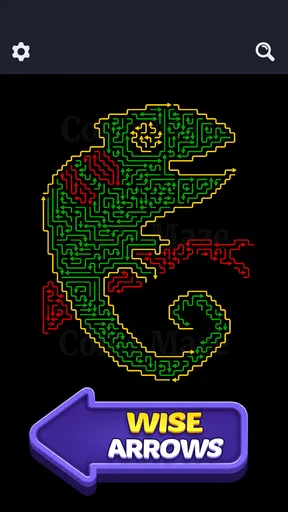
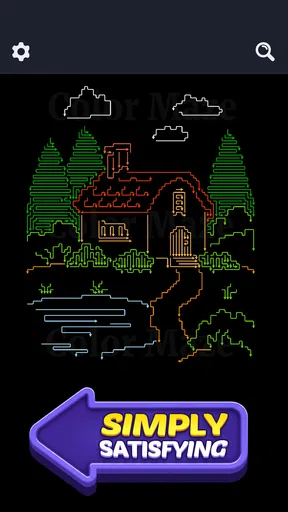

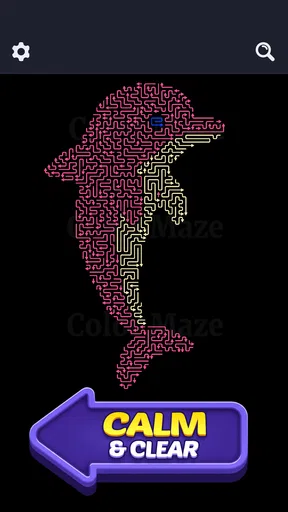
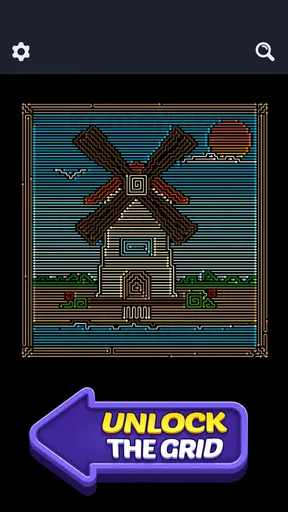



Our Review of Color Maze
 Analysis by Appyee
I approach Arrowscapes™ - Arrows Puzzle as a small, focused brain teaser rather than a sprawling game. Its appeal is the promise of working out how arrows fit together, making it an easy kind of puzzle to pick up when I want a bit of concentration without committing to a long story or complicated rules. That focused idea is also its main limitation: if you prefer variety built around characters, exploration, or fast reactions, this is probably not where I’d spend my game time.
Why the arrow idea can click
The game is a free casual puzzle from Beijing Youyoutang Technology Co.,ltd. It has a 4.7 average from around 181,000 ratings, and has been installed over a million times. Those figures suggest that plenty of players have found the basic appeal, but popularity alone doesn’t tell me whether a puzzle will suit my habits. The real draw is whether tracing and planning arrow paths feels satisfying to you.
I like this kind of puzzle best when I can pause before making a move and consider how one decision affects the rest of the board. A practical tip is to scan the whole layout before tapping: look for arrows whose paths seem constrained, then compare them with the more open-looking choices. That small bit of patience can save you from making a quick move that leaves an awkward tangle to untie.
It also suits short breaks better than a game that demands continuous attention. I can imagine opening it while waiting for a drink or during a quiet stretch between errands, solving a board, then putting the phone away. For a commute, it may work well when I’m seated and able to focus; it is less appealing when I’m walking, rushing to catch a connection, or trying to divide attention between the screen and what’s around me.
What to expect from its style of play
The arrow-path concept gives the game a different feel from match-three puzzles, where the main loop is spotting a quick combination, or word games, where vocabulary is the key resource. Here, the pleasure is more deliberate: I’m trying to read a layout and plan a sequence. That makes it a better fit for someone who enjoys visual logic than for someone who wants constant novelty or a rapid stream of rewards.
When I get stuck, I’d resist tapping at random just to see what happens. Instead, I’d use the board as a little planning exercise: identify the most obvious route, check what it might block or expose, and only then commit. If a move goes wrong, the undo option described in the original review can make experimentation less punishing. Still, undo is most useful as a way to test a specific idea, not as a substitute for thinking through every move.
That trade-off is worth keeping in mind. A puzzle can feel calming when I’m willing to slow down, but frustrating when I expect each board to resolve instantly. If I’m looking for a game to play while half-watching a show, I’d probably choose something more forgiving of divided attention. This one asks for enough focus that its best moments come when I give it a few uninterrupted minutes.
Who will get the most from it
I’d recommend it to players who like compact logic challenges, enjoy spotting patterns, and don’t mind revisiting a board after an early misread. It may also suit someone who wants a low-pressure alternative to action games: there’s no need to react at speed, and the central task is thinking through the arrangement. The game is rated for Everyone, which makes its basic audience broad, though a younger player’s enjoyment will still depend on whether they like this sort of planning puzzle.
On the other hand, I would skip it if my main reason for playing were a deep narrative, a large social scene, or a clearly documented progression system. I’d also look elsewhere if I wanted a puzzle game with a different central mechanic on every session. Arrow-path reasoning is a specific taste, and repeating that kind of mental task can feel samey once the novelty wears off.
Practical details before you install
The game was released on October 30, 2025, and its current version is 10.1.5. On Android, it requires version 6.0 or later. I’d check that requirement before downloading on an older device, then make sure I have a comfortable few minutes to try the core puzzle style rather than judging it from a hurried first tap. It is free to download, so the main question is whether its particular brand of visual planning holds my interest.
One useful way to test that is to notice what you enjoy after a few boards: is it the satisfaction of finding a clean sequence, or are you mostly waiting for a different kind of challenge to appear? If the former, the game’s focused design may be exactly the point. If the latter, a broader puzzle collection or a word game could be a better match than an arrow-based puzzler.
Hey there! So, I’ve been diving into this intriguing puzzle app called Arrowscapes™ - Arrows Puzzle, and let me tell you, it’s been quite the brain workout. If you love puzzles that challenge your strategic thinking while still being a ton of fun, you might want to stick around for this one.
Getting Started with Arrowscapes™
First things first, downloading Arrowscapes™ - Arrows Puzzle was a breeze. Whether you’re on Android or iOS, just head over to your app store, and you’re good to go. The app has a clean, intuitive interface that doesn’t bombard you with ads—a massive relief for anyone who’s tired of pop-ups ruining the vibe.
The Gameplay Experience
Alright, let’s dive into the gameplay. The core idea is pretty simple: you’ve got a grid filled with arrows, and the goal is to get each arrow pointing in the right direction. Sounds easy, right? Well, that’s where the challenge comes in. The complexity ramps up as you progress, with different levels throwing in new twists and turns to keep you on your toes.
The controls are super responsive, and I love how the app gives you that satisfying click whenever you make a move. It’s those little details that make the experience feel polished. Plus, there’s a handy undo button for those moments when you realize you’ve gone completely off track. Believe me, I’ve used it more times than I can count!
Visuals and Sound Design
Visually, the app is a treat. The colors are vibrant without being overwhelming, and the design is sleek and modern. It’s clear the developers put a lot of thought into making sure everything looks just right. The sound design is equally impressive, with subtle background music that complements the gameplay without being distracting. I found myself getting lost in the rhythm of the game more than once.
Levels and Challenges
The game features a plethora of levels that gradually increase in difficulty. It’s a perfect balance that keeps you engaged without feeling impossible. Each level presents a unique challenge, and there are often multiple ways to solve a puzzle, which adds a nice layer of depth to the gameplay.
One of the standout features has to be the daily challenges. These puzzles are a great way to keep things fresh, and they’re perfect for those quick sessions when you just want a little mental exercise. Plus, they give you a chance to earn extra rewards, which is always a nice bonus.
Community and Updates
What’s cool about Arrowscapes™ - Arrows Puzzle is the active community behind it. The developers are pretty engaged, frequently updating the app with new levels and features based on player feedback. It’s always great to see a game that listens to its players and continually strives to improve.
There’s also a leaderboard feature, which adds a competitive edge to the game. It’s a fun way to see how you stack up against other players and motivates you to keep improving your skills.
Final Thoughts
All in all, Arrowscapes™ - Arrows Puzzle is a fantastic addition to any puzzle lover’s collection. It’s challenging, engaging, and incredibly well-designed. Whether you’re looking to kill a few minutes during your commute or want something to dive into for a longer session, this app has you covered.
If you haven’t tried it yet, I’d definitely recommend giving it a shot. Just be prepared to lose track of time as you get wrapped up in its addictive puzzles!
My verdict
My recommendation comes with one clear condition: enjoy the act of patiently reading an arrow arrangement. When that is the part you find rewarding, the game’s compact format and undo option make it easy to return for another attempt. If you need a puzzle app to constantly switch mechanics or offer a strong reason to compete with other players, I’d choose a broader alternative instead.
There are a couple of practical questions I’d answer before settling in. Can it fit into a busy day? Yes, a single puzzle is a natural stopping point, though I’d avoid playing when I need to keep my attention on something else. Is it suitable for a casual player? The straightforward premise helps, but the satisfaction depends on being willing to think ahead rather than tap quickly. And is it a good choice for everyone who likes puzzles? Not quite: fans of wordplay, trivia, or fast matching may find its visual logic too narrow.
For me, the strongest reason to try it is that it offers a specific, understandable mental task without asking me to learn a large set of systems first. Its weaker side is the same focus: the arrow mechanic has to keep holding my interest, because it is not a substitute for a varied puzzle collection. I’d give it a chance if I wanted a quiet logic game for brief, attentive sessions, and move on if I found myself wishing each board worked in a completely different way.
Privacy and Permissions
See what permissions an app requests and how it handles your data.
- Device & app history
- retrieve running apps
- Location
- approximate location (network-based), precise location (GPS and network-based)
- Phone
- read phone status and identity
- Photos/Media/Files
- read the contents of your USB storage, modify or delete the contents of your USB storage
- Storage
- read the contents of your USB storage, modify or delete the contents of your USB storage
- Wi-Fi connection information
- view Wi-Fi connections
- Device ID & call information
- read phone status and identity
- Other
- view network connections, pair with Bluetooth devices, connect and disconnect from Wi-Fi, full network access, control vibration, prevent device from sleeping, install shortcuts, Google Play license check
Verdict
Strengths of Color Maze
- Intuitive controls enhance user experience.
- Visually appealing with vibrant graphics.
- Challenging puzzles boost problem-solving skills.
- Regular updates keep the game fresh.
- Offline play available for uninterrupted fun.
Limitations of Color Maze
- Ads can be intrusive during gameplay.
- Limited hints may frustrate beginners.
- Some levels feel repetitive.
- In-app purchases can be pricey.
- No multiplayer mode available.
Similar Picks in This Category
View All
My Talking Angela
Outfit7 Limited4.2

My Talking Tom
Outfit7 Limited4.3

Pou
Zakeh4.2

My Talking Tom 2: Pet Game
Outfit7 Limited4.3

Candy Crush Saga
King4.6

Bridge Race
Supersonic Studios LTD4.1
Frequently Asked Questions
What is Arrowscapes™ - Arrows Puzzle about?
Arrowscapes™ is a captivating puzzle game where players must align arrows to solve intricate challenges. The game combines strategic thinking with engaging visuals, offering a relaxing yet mentally stimulating experience. Each level presents unique layouts, requiring creativity and logic to progress. Perfect for puzzle enthusiasts and casual gamers alike.
Is Arrowscapes™ available for both Android and iOS devices?
Yes, Arrowscapes™ is available for download on both Android and iOS platforms. You can find it on the Google Play Store for Android devices and the App Store for iOS devices. This ensures that a wide range of users can enjoy the game regardless of their preferred device.
Are there any in-app purchases in Arrowscapes™?
Arrowscapes™ offers in-app purchases that can enhance the gaming experience, such as additional hints or unlocking new levels. While the game is free to download, these purchases provide optional convenience and can help players progress more quickly through challenging stages.
What are the main features of Arrowscapes™?
Arrowscapes™ features a variety of levels with increasing difficulty, intuitive controls, and stunning graphics. Players can enjoy daily challenges, leaderboards to compete with friends, and regular updates that introduce new puzzles and features. The game is designed to keep players engaged and entertained over time.
Can Arrowscapes™ be played offline?
Yes, Arrowscapes™ can be played offline, making it a great option for users on the go or without a constant internet connection. This allows players to enjoy the game anytime, anywhere, without worrying about connectivity issues or data usage.
Play our best games!


